



Since inception, Walmart’s shopper agent, Sparky 🙂, has been limited to mobile/logged-in users only. Hard core Walmart shoppers (like me 👋) were able to use it, but that form factor can be challenging. Today, our new VP of Research, Andrew Bell, discovered that Walmart has rolled out to the broader web. In this post we’ll walk through some of the interesting user interface innovations we’ve discovered.
First Look at Sparky on the Web (on Chrome)
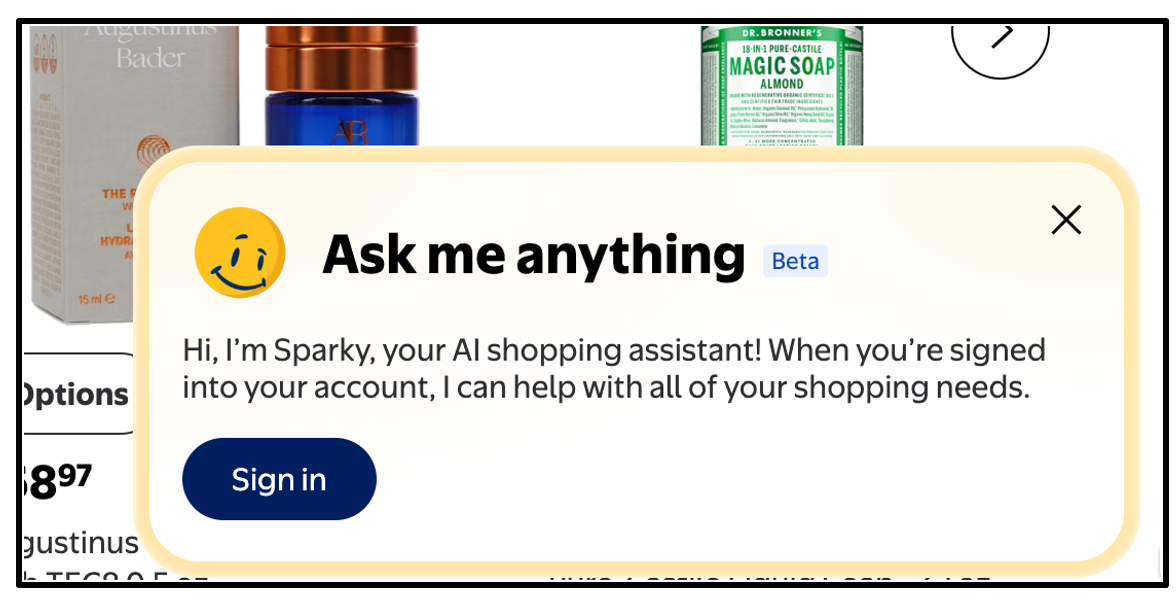
When you first pull up Walmart and aren’t signed up, you get this bottom right float-over box using Sparky as an enticement to login.
Logged-In-User View
When you login, you now see a float-over sparky animation that looks all over the page, it’s pretty cool and a bit of a TBT to Clippy for you fellow Boomers out there:
Cleverly he winks when you hover over him - A+ on the animation Walmart, it’s smooth, engaging and whimsical.
Sparky on the Homepage
When you click on the Sparky face you get a tall vertical box on the right side (it’s still a ‘float over’, unlike Alexa, it doesn’t occupy what we call the ‘gutter’. Here’s the default for my account→
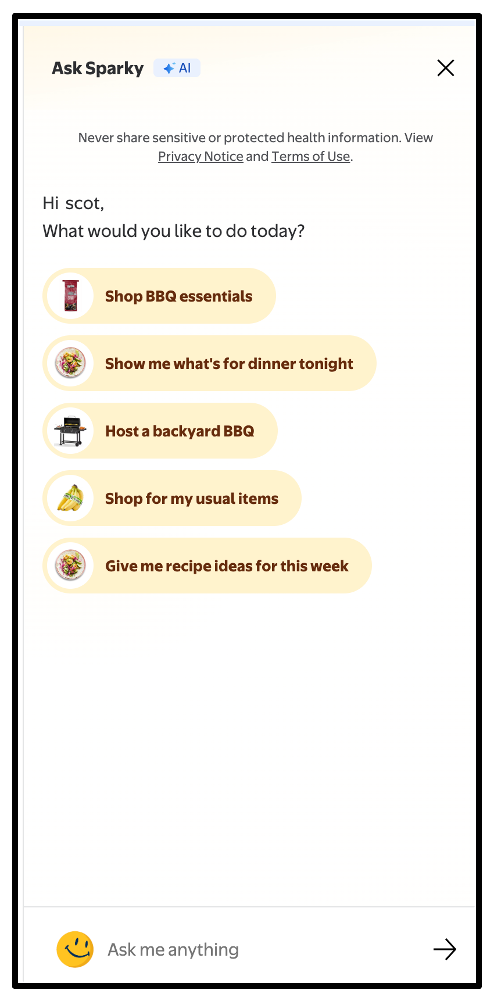
Notice that 4/5 of the suggested prompt pills are what Walmart calls ‘everyday essentials’, in other words Grocery (Shop BBQ essentials, Show me what’s for dinner tonight, Host a backyard BBQ, Give me recipe ideas for the week).
Why Grocery? Let’s ask Walmart’s CEO, John Furner!
In his quarterly comments, Furner has shared this about Sparky+Grocery (paraphrasing):
When Sparky first launched, engagement “centered more heavily on general merchandise discovery missions.”
As Walmart expanded Sparky’s capabilities (personalized replenishment, meal planning, smarter recs based on inventory, price, and speed), they observed customers increasingly using the agent for everyday essentials such as food and other consumables.
One take on this, Walmart’s edge on Amazon is Grocery and they are using Sparky as their Shopper Agent ‘wedge’ as well, which has proven at the store-level to ‘pull’ in the General Merchandise (aka not grocery).
What’s on the Menu this Week?
When I hit the “Give me recipe ideas for this week”, Sparky responds with
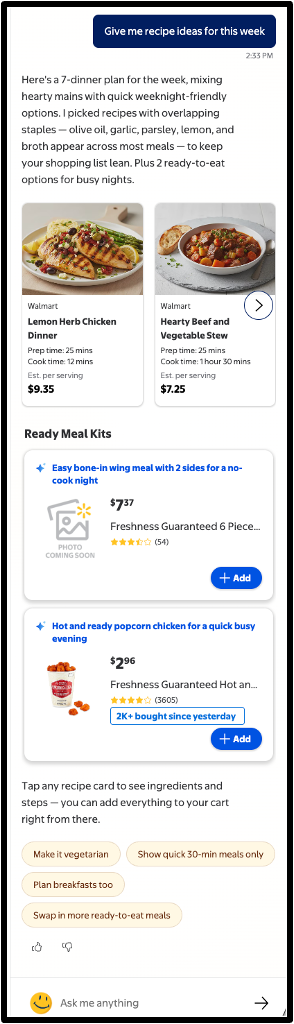
while this was the first take, you can see int he follow-up prompt pills (Make it vegetarian, Show quick 30-min meals only, Plan breakfasts too, Swap in more RTE meals).
Initial Conclusion:
I think what we can all agree on is: Sparky loves BBQ!

Continuing the tour: Sparky on the PDP Page
Here I went to a coffee machine and invokes Sparky:
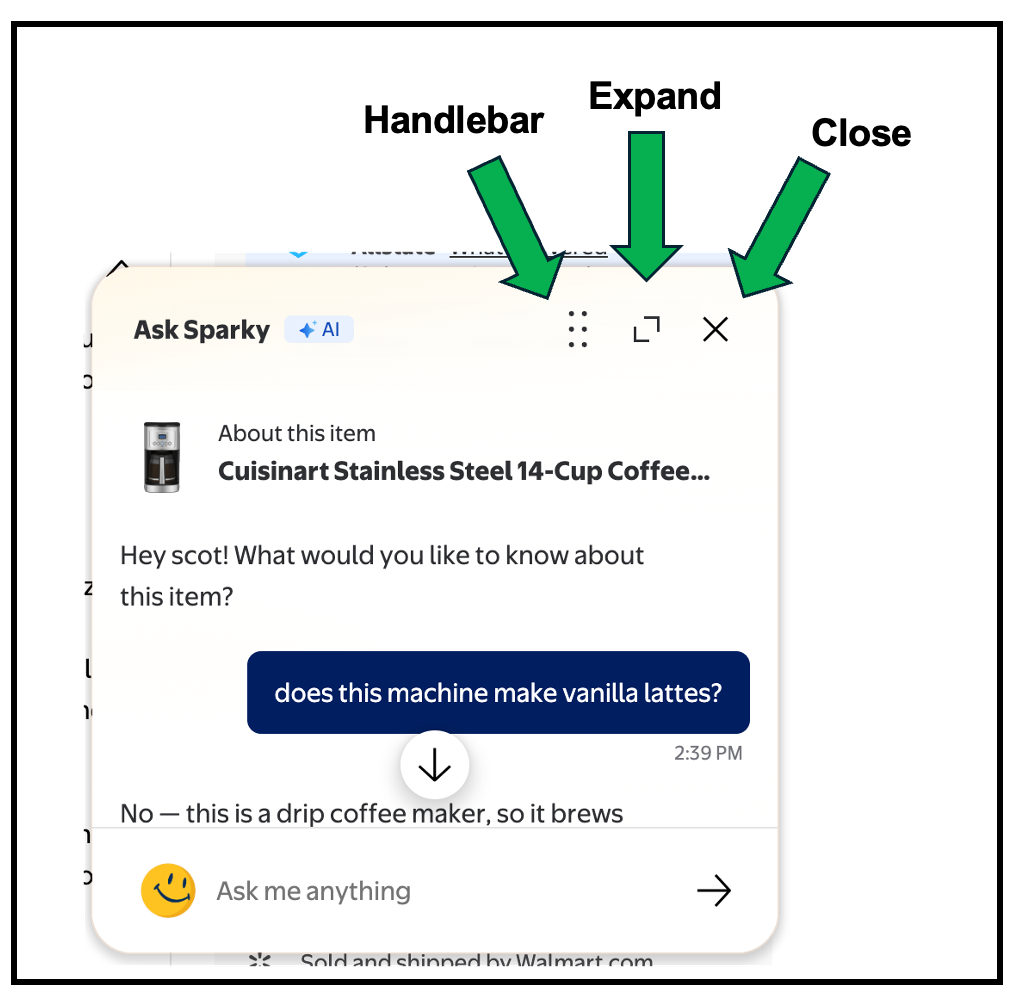
Note only does it know the context of the PDP, it has a cool new UX element. Now the floating window adds:
Handlebar - You can move the floating window, which defaults to bottom right, to anywhere you want while it hovers over.
Expand - Sparky can expand and go ‘full vertical’
Close - You can close it out.
Here are examples of these UX elements in action:
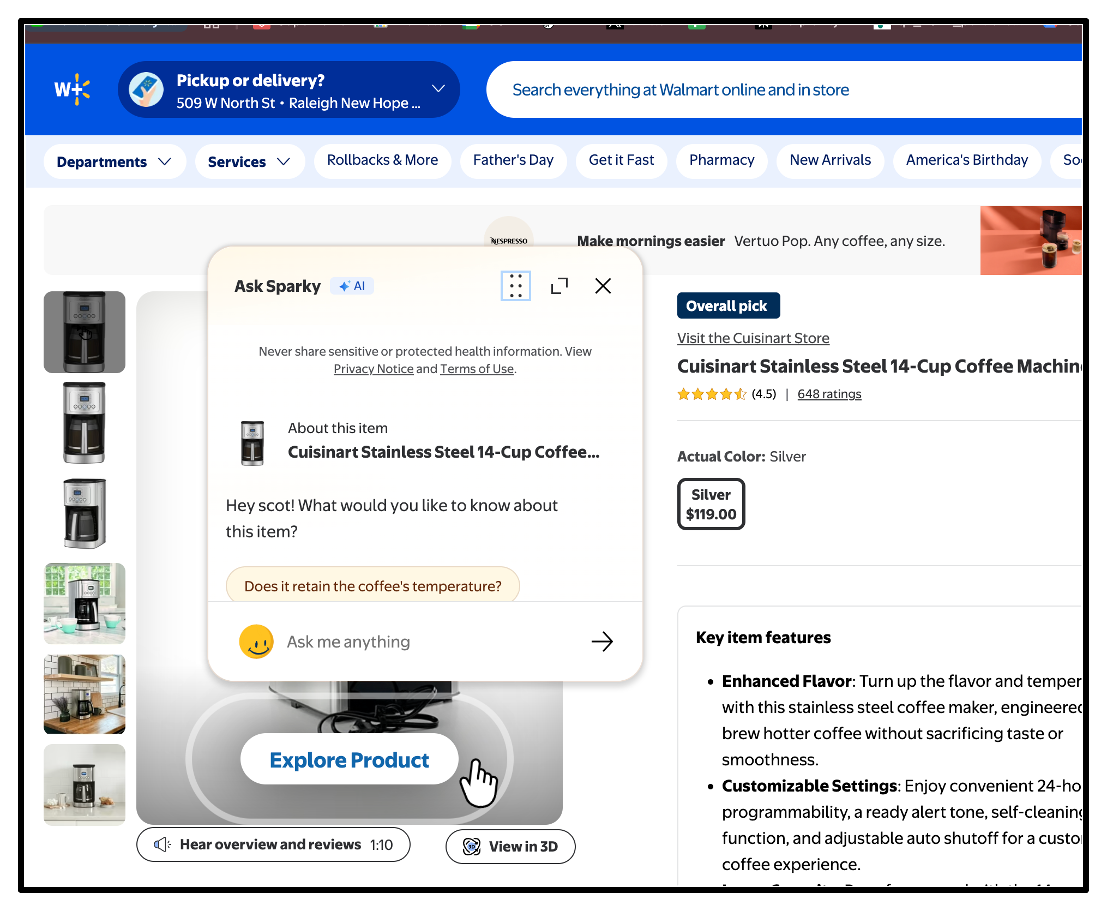
Above, we’ve moved the floating Sparky window over the product hero image.
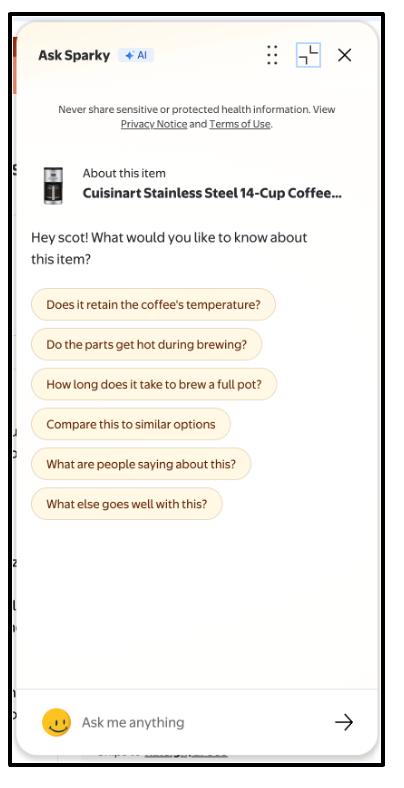
Here, we’ve expanded the Sparky small window to be the taller ‘expanded’ version. Note the expand moves to ‘collapse’ mode and we still have the Handle Bar and Close gadgets.
Conclusion
From a user interface perspective, Sparky in the web is a very strong first showing. We’re still working on seeing if anything has changed ‘under the hood’ and early indications are that Walmart has significantly reduced the ‘off the rails’ things that Sparky has previously said about products. We’re still working through that, more on that later. Stay tuned and….